

Ultimate Guide to the Zebronics FHD USB Webcam Features and Benefits for Remote Work
- Mayur Gangasagar

- 1 day ago
- 3 min read
Remote work depends heavily on clear communication, and video calls have become a daily routine for many. Choosing the right webcam can make a big difference in how you connect with colleagues, friends, or clients. The Zebronics FHD USB Webcam offers a solid set of features designed to improve your video experience. This guide explores its key functions and explains how they benefit your remote work setup.

Clear Video Quality with 2.0MP CMOS Sensor and 30FPS
The Zebronics webcam captures video at Full HD resolution using a 2.0MP CMOS sensor. This sensor provides sharp and detailed images, which is essential for professional video calls or online classes. The camera records at 30 frames per second (FPS), ensuring smooth motion without lag or choppiness.
This combination means your video will look natural and clear, even during fast movements or gestures. For example, when explaining a concept on a whiteboard or showing a product, the video remains crisp and easy to follow.
2P2G Lens for Enhanced Image Clarity
The webcam features a 2P2G lens, which helps improve light transmission and reduce distortion. This lens design supports better color accuracy and sharpness, making your video feed more vibrant and true to life.
In practical terms, this means your face and surroundings will appear well-lit and natural, even in rooms with moderate lighting. This is especially useful for remote workers who may not have professional lighting setups at home.
Auto-White Balance and Auto-Exposure for Consistent Image Quality
Lighting conditions can change throughout the day, affecting how you appear on camera. The Zebronics webcam automatically adjusts white balance and exposure to maintain consistent image quality.
Auto-white balance corrects color tones so your skin looks natural rather than too warm or cool. Auto-exposure adjusts brightness levels to prevent your image from looking too dark or washed out.
These features reduce the need for manual adjustments, allowing you to focus on your meeting or presentation without worrying about your video quality.

Privacy Shutter for Security and Peace of Mind
Privacy concerns are common with webcams. The Zebronics FHD USB Webcam includes a built-in privacy shutter that physically covers the lens when not in use. This simple feature prevents accidental video streaming and protects your privacy.
You can easily slide the shutter open or closed, giving you control over when the camera is active. This adds a layer of security, especially for those working from home or in shared spaces.
Built-in Microphone for Clear Audio Capture
Good audio quality is as important as video during remote meetings. The Zebronics webcam comes with a built-in microphone that captures clear sound, reducing the need for external audio devices.
The microphone is designed to pick up your voice clearly while minimizing background noise. This helps ensure your message is heard without distractions, improving communication during calls on platforms like Teams or FaceTime.
Easy Compatibility and Plug-and-Play Setup
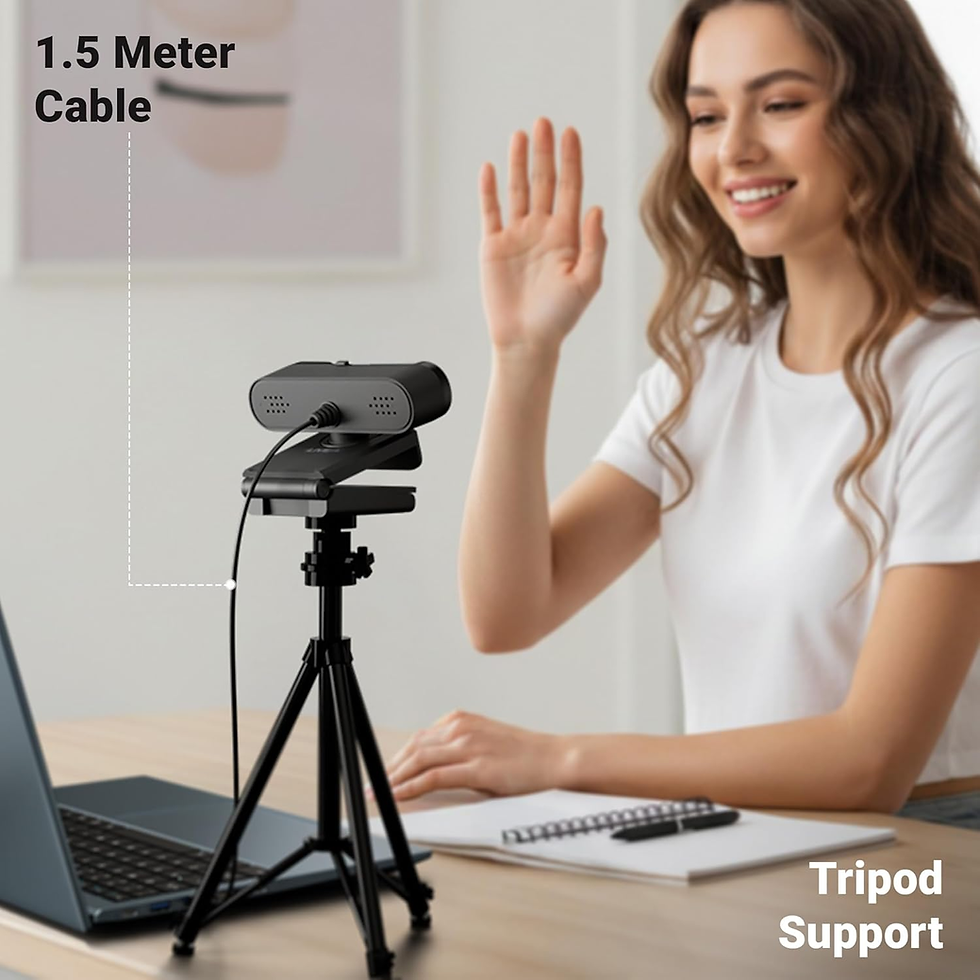
The webcam connects via USB and works with most PCs and laptops without requiring additional drivers. This plug-and-play setup means you can start using it right away, saving time and avoiding technical issues.
It supports popular video conferencing apps, making it a versatile choice for various remote work needs. Whether you use Microsoft Teams, FaceTime, Zoom, or other platforms, the Zebronics webcam integrates smoothly.
Practical Benefits for Remote Workers
Improved video clarity helps you appear professional and engaged during meetings.
Automatic adjustments reduce distractions caused by poor lighting or color issues.
Privacy shutter offers peace of mind when the camera is not in use.
Built-in microphone simplifies your setup and enhances audio quality.
Easy installation means less time troubleshooting and more time working.
For example, a remote teacher can use this webcam to deliver lessons with clear visuals and sound, while a freelancer can maintain a professional appearance during client calls without extra equipment.
Final Verdict
The Zebronics Live Pro Webcam delivers a good balance of affordability, Full HD quality, smooth performance, and ease of use. Features like the privacy shutter, auto adjustments, and built-in microphone make it a practical choice for daily communication and remote work.
For users looking for a reliable budget webcam for meetings, classes, and casual streaming, the Zebronics Live Pro stands out as a solid option in 2026.

$50
Product Title
Product Details goes here with the simple product description and more information can be seen by clicking the see more button. Product Details goes here with the simple product description and more information can be seen by clicking the see more button

$50
Product Title
Product Details goes here with the simple product description and more information can be seen by clicking the see more button. Product Details goes here with the simple product description and more information can be seen by clicking the see more button.
$50
Product Title
Product Details goes here with the simple product description and more information can be seen by clicking the see more button. Product Details goes here with the simple product description and more information can be seen by clicking the see more button.


Comments